
How can I contact Premium Support?
If you have a premium wpDataTables license, the best way to contact our support team is by logging into your Melograno Store account. This automatically verifies your license and gives you direct access to Premium Support — without needing to enter your purchase code or email manually.
Steps:
Log in to your Melograno Store account:
👉 https://store.melograno.io/login
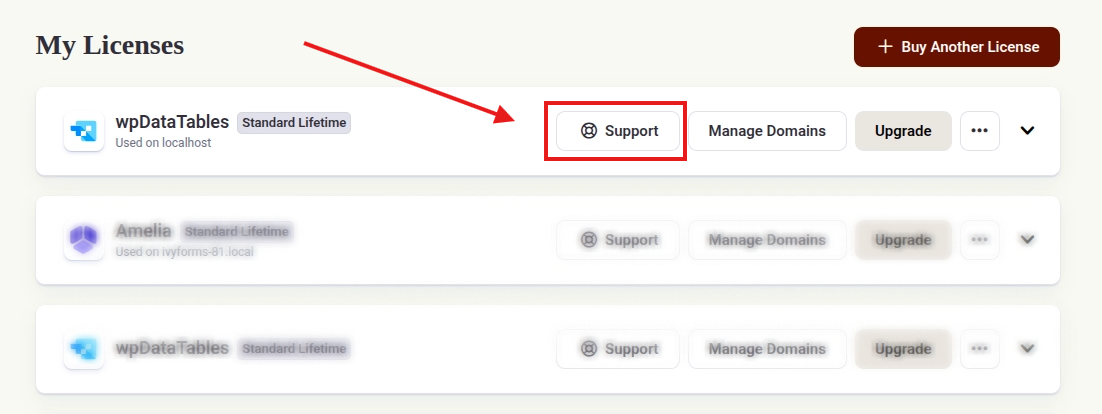
(Use the same email you used when purchasing the license)Go to “My Licenses”
Click the “Support” button next to your license
This will open the chat widget with all your license details pre-filled.
Don’t have a license yet or can’t access the Store?
If you’re not yet a customer, or if you’re having trouble accessing your Store account, you can still contact us through our Contact page.
You can also access the support chat widget from the bottom-right corner of our Pricing and Documentation pages.