Our plugins are sold through our official reseller, Paddle.
All payments are processed via credit card or PayPal. Paddle also handles VAT/GST collection and invoicing.
Paddle’s receipts include their VAT/GST number for your records.
You can read more about how they handle tax compliance here:
👉 Paddle – Tax and Compliance
If you're located in a country where VAT or GST applies, it will be automatically added at checkout.

Yes — if you have a valid company VAT number, you can enter it during checkout.
If it verifies successfully, the VAT will be automatically removed from the total.
If you didn’t enter a VAT number during purchase — or if it wasn’t validated — you can still request a VAT refund from Paddle after the purchase.
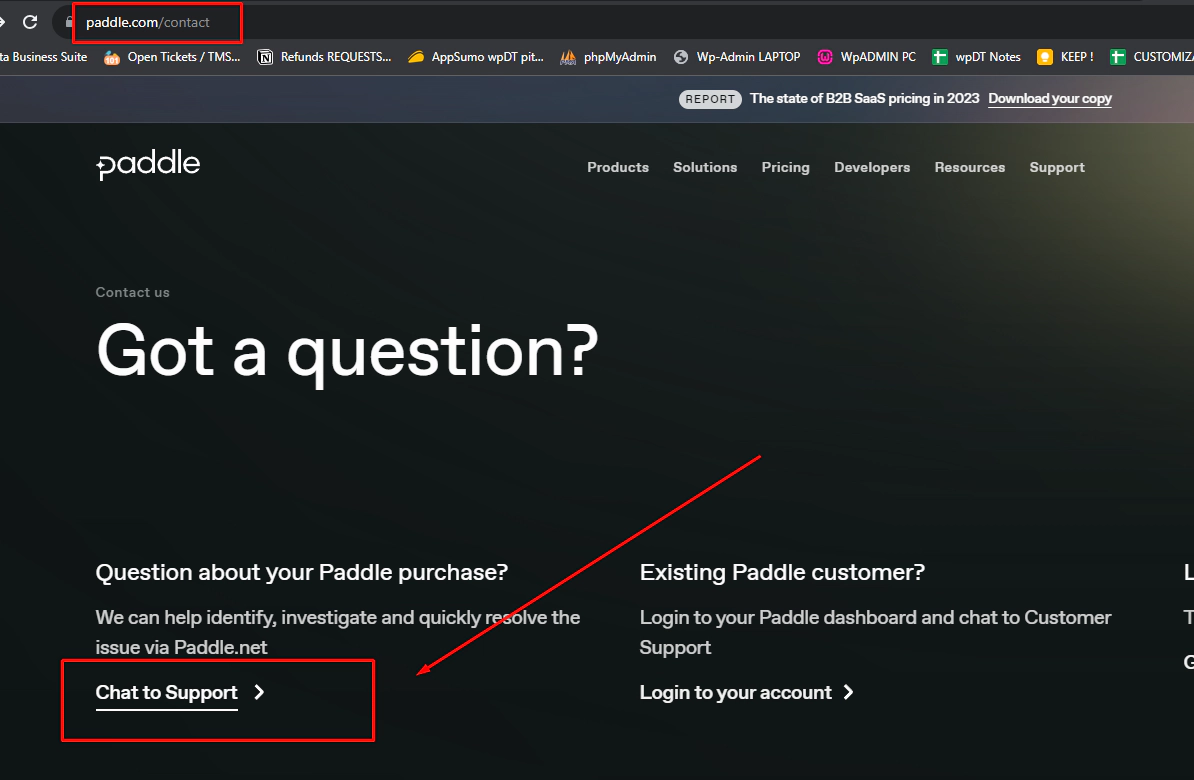
Go to: Paddle Contact Page
Click “Chat to Support”
Start the chat with the topic: “VAT refund”
Type “Human support” to speak to a live agent
Share your payment details and valid VAT number
This is currently the only process available for retroactive VAT refunds.
If you have any questions along the way, feel free to reach out to our support — we're happy to help!
