
When adding or editing a value in a Manual table, you may encounter the following error:
The supplied value may be too long or contains invalid data.
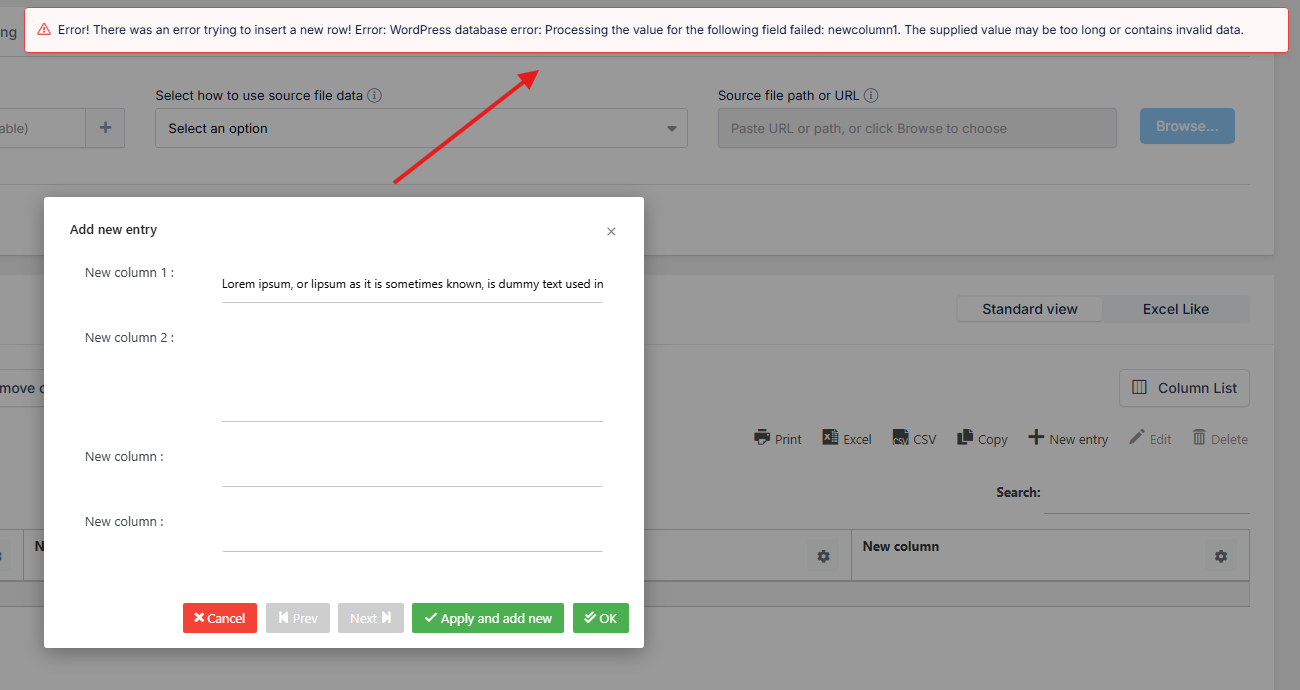
This can happen when the column is configured as One-line string, which uses the VARCHAR database type with a default limit of 255 characters.
If you need to store longer text in this column, you have two options.
Option 1: Recreate the column
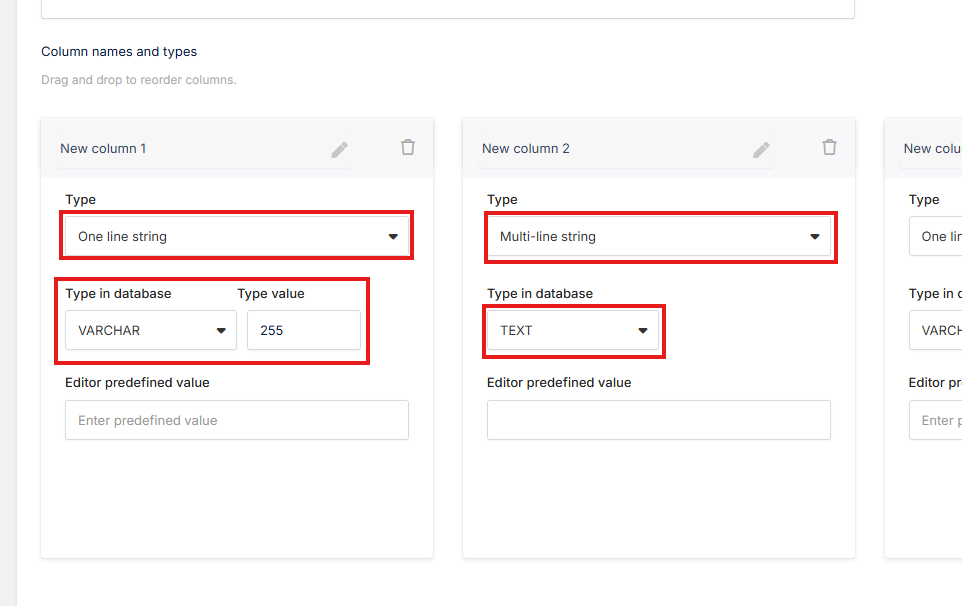
If the column does not contain a large amount of data yet, you can remove it from your Manual table and create a new column using the Multi-line string type.
The Multi-line string type uses the TEXT database type, which allows much longer text values.
You can add the new column where you need it and rearrange the columns afterward if necessary.
Option 2: Change the database type
If the column already contains a lot of data that you don't want to remove, you can change its database type directly.
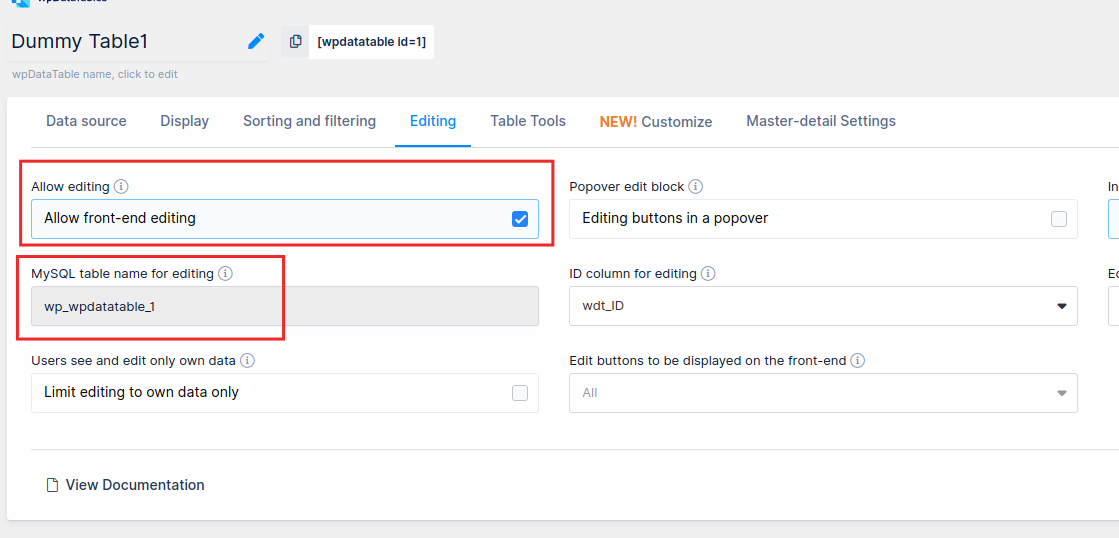
To do this, first go to your table's Editing settings and check the MySQL table name for editing.
You can then access your WordPress database through phpMyAdmin, locate this table, and change the column type from VARCHAR to TEXT.
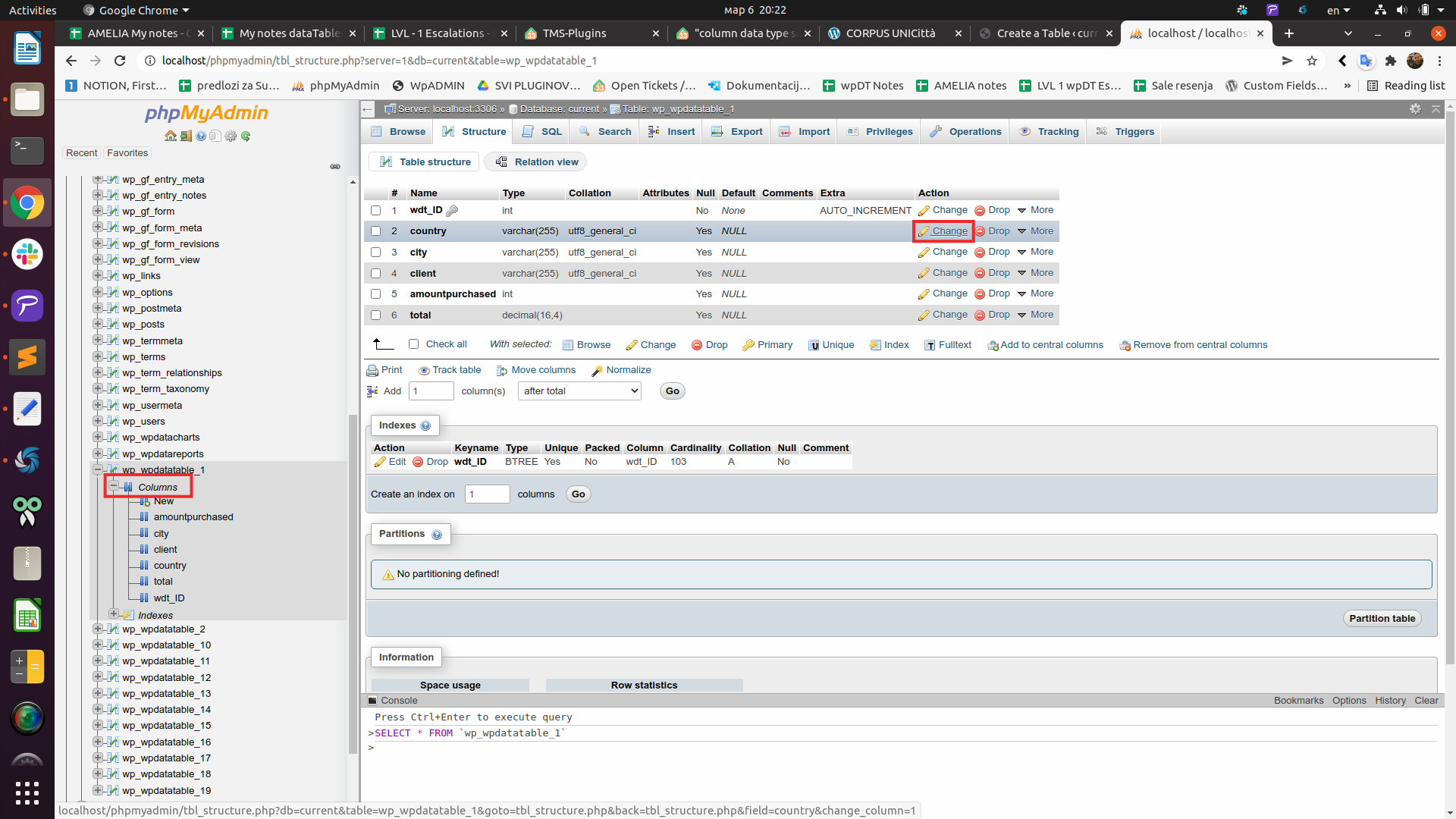
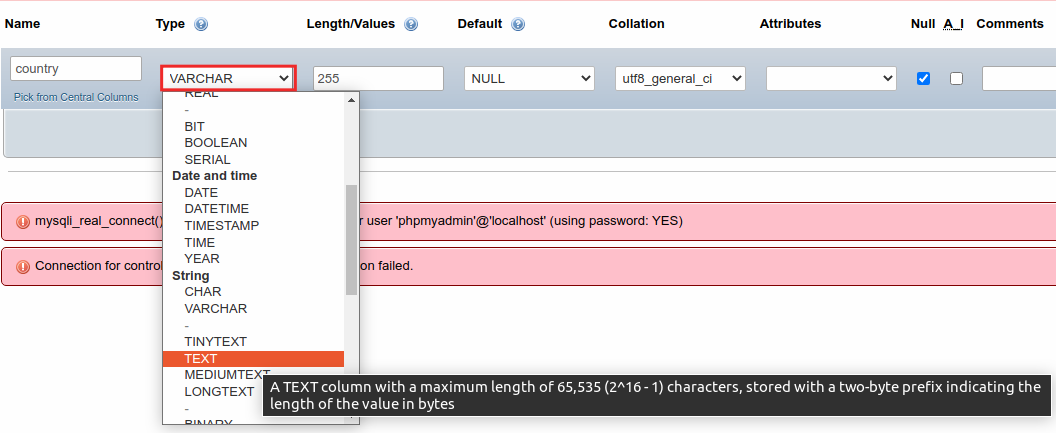
After changing the type to TEXT, the column will be able to store longer text values.
One-line string vs. Multi-line string
In short:
One-line string →
VARCHAR(255)→ suitable for shorter text values.Multi-line string →
TEXT→ suitable for longer text values.
When creating a Manual table, you can see both the wpDataTables Column type and the corresponding Type in database before creating the column. This makes it easier to choose the appropriate type from the start.